




4 Key Rugged Tablet Specs Every Field Worker Should Know
When shopping for a rugged tablet for field work, there are no shortage of options. From traditional tablets and laptops to fully ruggedized mobile devices, form factors of all sorts are available for work on the go. And beyond the form factor, their durability, screen visibility, battery life, and connectivity all play a role in long-term performance.
Teguar recommends the rugged tablet for its superior durability, ease of portable use, and wide array of features. But with screen sizes from 8- to 14-inches; Android or Intel CPU options; and accessories from hand strap to docking station to hot-swappable batteries; how can you parse the huge selection of rugged tablets available on the market?
Important specs to know when comparing rugged tablets for field work are drop resistance, screen brightness, battery design, and mobile connectivity. In this guide, we will define these terms, make recommendations, and address some frequently asked questions.
At a glance: Key Rugged Tablet specs
| Spec | Recommendation |
| Durability | MIL-STD-810H Military grade |
| Brightness | 700+ nits |
| Battery Life | 7,000+ mAh |
| Connectivity | Wi-Fi, Bluetooth, Cellular/LTE, GPS |
Do I need a rugged tablet?
Not all tablets are designed for field work. Consumer tablets prioritize portability and aesthetic, while rugged tablets are built to withstand harsh environments, including drops, vibration, and moisture or dust. If you find yourself working around warehouses, factories, vehicles, or the outdoors, you likely need a rugged tablet.
Check out our article that goes into more detail on the differences between rugged tablets and consumer models.
Drop resistance
Despite convenient hand or shoulder straps and other precautions, a rugged tablet on the go is liable to take a few blows. It may not just be a drop while in use; the abuse tablets go through could come in the form of rough vibrations while docked to a forklift or other machinery, or prolonged exposure to low pressure, hot, or cold environments. How can you ensure a tablet holds up without having to research every possible edge case?
Enter MIL-STD-810H standard. This U.S. military-grade standard outlines requirements for a comprehensive swathe of challenges, including:
- High altitudes
- High and low temperatures
- Liquid ingress and immersion
- Rain and humidity
- Airborne particulates
- Vibration
- Shock
- Freezing/thawing
Read the full, official military standard on the U.S. Department of Defense resource.
Even if your factory or application doesn’t involve all of these challenges, finding a tablet that adheres to these standards is the absolute best assurance that your equipment will handle everything you throw at it for years of service, and avoid costly repairs or bandage solutions later.
What level of drop resistance do I need?
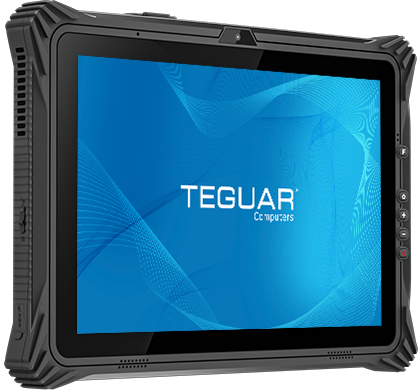
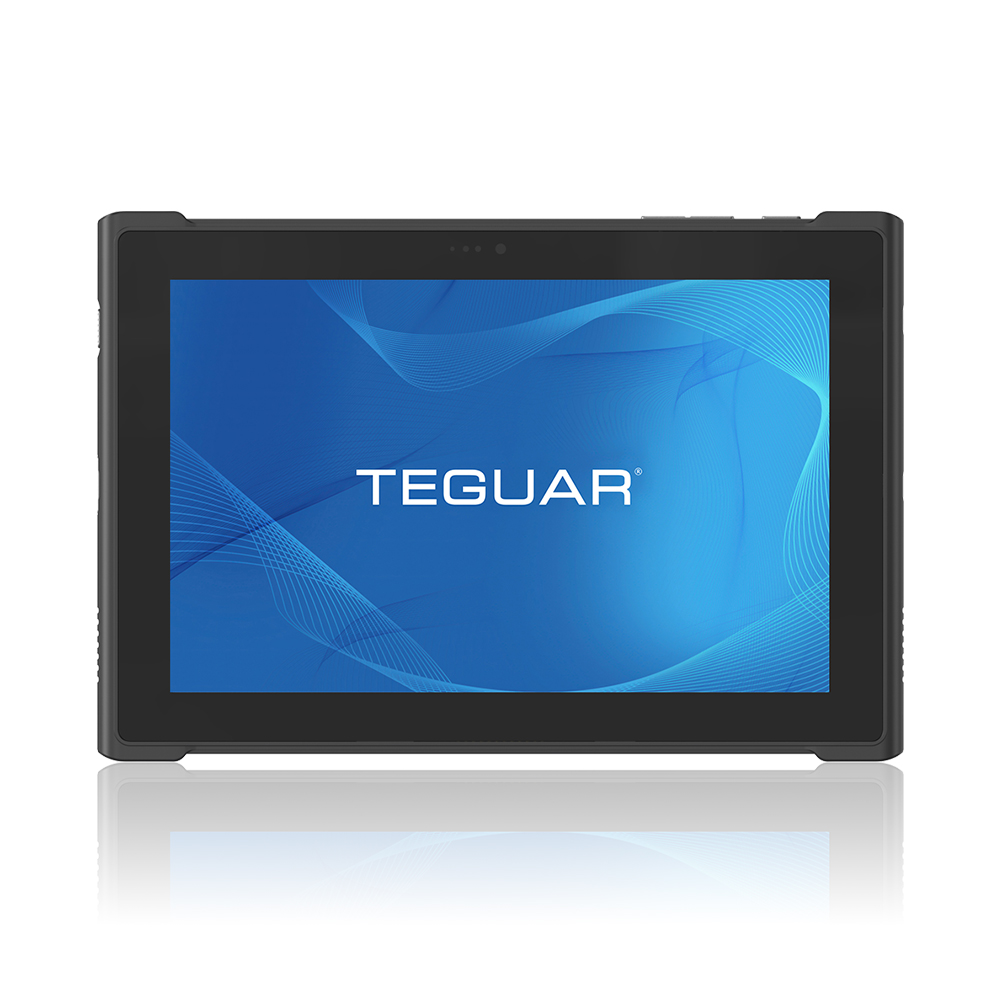
For a worry-free rugged tablet for field work, look for one compliant with MIL-STD-810H standards. This ensures total resistance to the majority of shocks, drops, and rough environments. Teguar’s TRT-6280-10S, for example, is compliant with these standards, with 6ft of drop resistance despite its slim and lightweight form factor.
Screen brightness (nits)
Under bright factory lights, or with harsh sunlight streaming in through the window, when you look down at your tablet, you might see more glare than data. Stop the squinting and the hand shielding by using a screen with enough brightness, measured in nits.
Nits are a measure of luminance also sometimes listed as cd/m², as a nit is equal to one candela per square meter. More nits mean a greater brightness in the same surface area.
For fully outdoor settings, a screen should be sunlight readable, which starts at 1,000 nits and can exceed 2,000 nits in some rugged tablets. But indoors, you can save on cost by staying under 1,000 and still maintaining full visibility.
Teguar’s screens come in a variety of brightness to fit your space, including high brightness or sunlight readable options. Regardless of luminance, look for options to add anti-glare coating when possible for an extra touch of clarity.
What brightness is best for indoor and outdoor settings?
For full screen visibility in indoor and semi-outdoor or shaded outdoor settings, 700 nits brightness is recommended. For prolonged use in direct sunlight, look for 1,000+ nits. The screen of Teguar’s TRT-6280-10S sits at 700 nits, the perfect threshold for total clarity in any indoor or shaded application.
Battery design
Rugged tablet battery design runs the gamut from lightweight swappable packs to substantial things designed to run on standby for hundreds of hours. Battery life is measured in mAh (milliampere-hour), which is a unit that measures a battery’s capacity to store and deliver electrical charge. MAh indicates how long a device can run before needing a recharge. For example, a rugged tablet with an 8,000 mAh battery can provide 8,000 mA for one hour, or 1,000 mA steadily for 8 hours.
To this end, it’s not just the battery life that needs considering, it’s the overall power draw of the device. More demanding processing is going to require more mAh. As a result, it’s important to choose a tablet carefully to make sure you aren’t paying for more than you need – both in the processing and the battery life departments.
Some accessories to strong battery life come in the form of hot-swappable batteries and docking stations. The former allows you to swap out the used battery with a new, fully charged one, without turning off the tablet or interrupting use.
Learn more about hot swapping with our FAQ.
Docking stations, on the other hand, allow the device to recharge while you work on it. Some come with an attached keyboard and mouse, others dock onto a desktop or even a vehicle, so operations never truly need to stop.
Best battery life for field work
The best battery life for field work would be one that brings you the best balance of performance and value. This prevents paying for more mAh than you need. Teguar’s TRT-6280-10S operates for just over 7 hours; charge it on its docking station over a lunch break, and you’ll have plenty of power to make it through the day.
Mobile connectivity
One of the great benefits of mobile devices is their ability to receive and transmit data without needing to be physically connected to anything. Without a tether to a terminal, power cable, or ethernet, the operator can go wherever the work is – and the tech can follow. To enable this, it’s a necessity that a rugged tablet offers some form of wireless connection.
Some forms of wireless connection include Wi-Fi, Bluetooth, Cellular, and GPS. All have their own unique strengths and use cases.
- Wi-Fi is convenient for mobile connection and instant communication with the Internet or with other devices on the same network
- Bluetooth is a low power draw and perfect for wirelessly connecting nearby devices and peripherals, keeping cables out of the workspace
- Cellular data offers the longest range of connectivity and supports remote operation and Internet connectivity when away from a Wi-Fi network
- GPS works for precise positioning, navigation, and timing globally with a very low power draw
Do I need both Wi-Fi and Cellular on my rugged tablet?
No, you don’t always need both Wi-Fi and cellular for a rugged tablet, as many field work tablets will rarely leave one work site and can rely on a Wi-Fi connection in one area. However, cellular data is extremely beneficial to have not only in an application that might go off site; a tablet with cellular can act as a wireless hotspot for other mobile devices, too. Teguar’s TRT-6280-10S boasts Wi-Fi, GPS, Bluetooth 5.2, and 4G LTE with an optional 5G upgrade, so you can connect with anything, anywhere.
FAQ
What should I look for when buying a rugged tablet?
Some of the most important features to look out for when browsing rugged tablets are drop resistance, screen brightness, battery life, and connectivity options.
How durable does a rugged tablet need to be?
For a worry-free rugged tablet for field work, look for one compliant with MIL-STD-810H standards.
What screen brightness is best for field work?
For full screen visibility in indoor and semi-outdoor or shaded outdoor settings, 700 nits brightness is recommended.
How much battery life does a tablet need for field work?
With a standard workday, the tablet should only need to support ~8 hours of continuous use so around 7,000-8000 mAh. This is especially assuming the tablet is operating on standby for at least some of that time, prolonging the battery life.
Recommended Rugged Tablet specs for field work
| Spec | Teguar’s Recommendation |
| Drop resistance | Certified or compliant with MIL-STD-810H |
| Screen brightness | 700 nits or more for outdoor applications |
| Battery life | 7,000 mAh or greater for shifts longer than 8 hours |
| Compatible accessory | Charging docking station |
| Connectivity options | Capability for Wi-Fi, Bluetooth, Cellular, and GPS |
The above table summarizes the recommended specs we discussed in this article. Our TRT-6280-10S rugged tablet meets or exceeds all these requirements, and if you’ve made it this far into the article, it may just be the right fit for you.
-
TRT-6280-10S
$1,543.36
Here at Teguar, our mission is to help you find the right equipment for your needs without breaking the bank – either on greater specs than needed, or on upgrades and repairs down the line. To do this, we take the time to really listen to you and the details on your project, to ensure the best fit hardware.
Start the conversation below, or explore our other rugged tablets.
About the Authors:
Madelyn Brannan serves as the Digital Marketing Coordinator at Teguar, which presents an engaging opportunity to learn new things. She strives to help current and future customers by making them aware of the solutions that Teguar can provide. When Madelyn isn't researching things like you've just read about, they like to draw and play tabletop games.Previous Article
Teguar Partners with SOTI: Rugged Tablets Certified for SOTI MobiControl